Library and files
Where paths and captures are kept, how to move them between browsers, and what each file holds.
The Library is the list of everything stored in this browser: paths, and the captures made from each.
A path is kept in the browser's local storage: its name, steps and capture settings. Its road and blocks are worked out from the steps, so they are only kept alongside the captures in the browser's database, which the tool asks the browser not to clear. If the browser clears that database anyway, for example when the disk is full, the paths are still there; open a path in Plan once to work its road out again. The captures cannot be recovered: export a capture ZIP to keep a copy. What a stitch worked out is kept with its capture, but not its pictures (see Stitch).
Rows
Each path is a row. Click its name to open the row and see its captures, oldest first.
A path row has Plan, one main action, and a delete button. The main action is the most useful next step:
| The path has | Main action |
|---|---|
| An unfinished capture | Resume #N |
| A complete capture | Stitch #N |
| No captures | Capture |
A capture row has Review, Stitch and ZIP when it is complete, and Resume… when it is not.
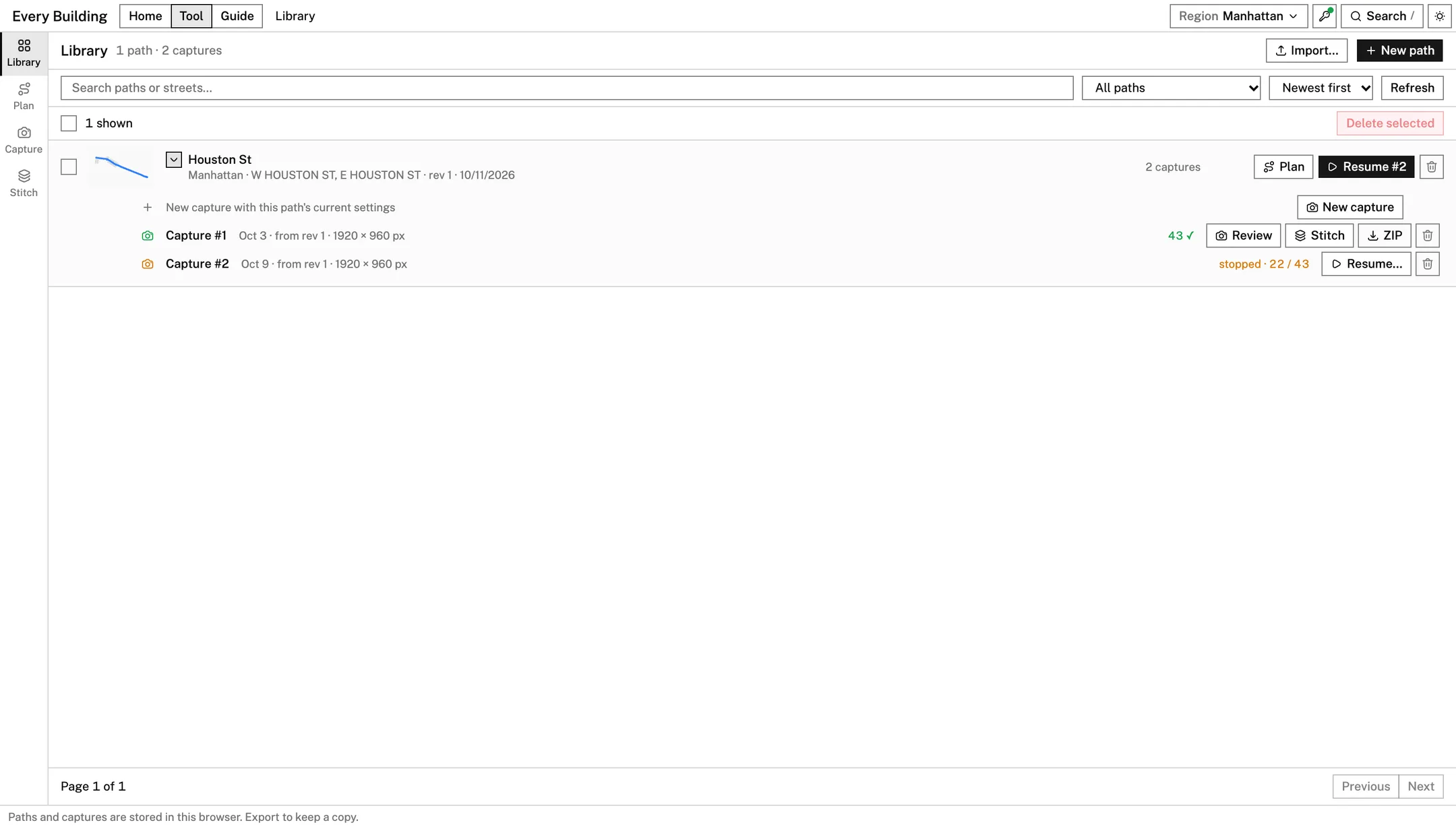
Three kinds of row look different:
- Draft. A new path that has no road yet. It is not in the Library proper until it has one; Continue plan reopens it.
- Capture only on a path. The path came from a capture plan file and has no steps to edit.
- Capture only on its own. A capture whose path was deleted, or that was made from a plan file. It can still be resumed, stitched and exported.
Deleting
Deleting a path removes its plan and settings. Its captures are kept as capture-only records unless you tick
Also delete N captures and their images. Files you have already downloaded are not touched. Deleting cannot be undone.
Where it is all kept
In this browser, at this address. Clearing the site's data deletes it. A different browser, profile or address starts with an empty Library.
Import
Import…, at the top of the Library, takes three kinds of file and sends each to its stage:
| File | Opens in | Result |
|---|---|---|
Path plan (.json) | Plan | The paths are added beside the open one. They are saved once they have a road |
Capture plan (.json) | Capture | A capture with fixed road and clip, and no steps to edit |
Capture ZIP (.zip) | Stitch | Ready to stitch. It belongs to no saved path |
Anything else is refused with a message saying why.
Export
| File | From | Holds |
|---|---|---|
<name>.path-plan.json | Plan, the menu beside the path's name | The region and the path's steps. Enough to rebuild the path |
<name>.geojson | Plan, the same menu | The blocks the path keeps, as polygons |
| Capture plan | Plan, Export Plan in the Camera Path step | The path with every shot already worked out |
<name>-capture-<n>.captureplan.json | Capture, Plan JSON while a capture is open | The capture plan the capture was taken with: its camera settings, every shot's place and heading, and the clip. Import it to take the same shots again |
| Capture ZIP | Library, ZIP on a complete capture | The saved images, capture-metadata.json and capture-run-manifest.json |
<name>-stitch-panels.zip | Stitch | panel_00.png onward, manifest.json, a .labels.svg beside each panel that has labels, and layout.svg to print |
<name>-both-sides.zip | Stitch, Both sides | A folder per camera side with its cut panels, labels and manifest, pair.json, and layout.svg to print |
To move work to another browser, export there and import here: a path plan to keep editing, a capture ZIP to stitch again.